

Overview
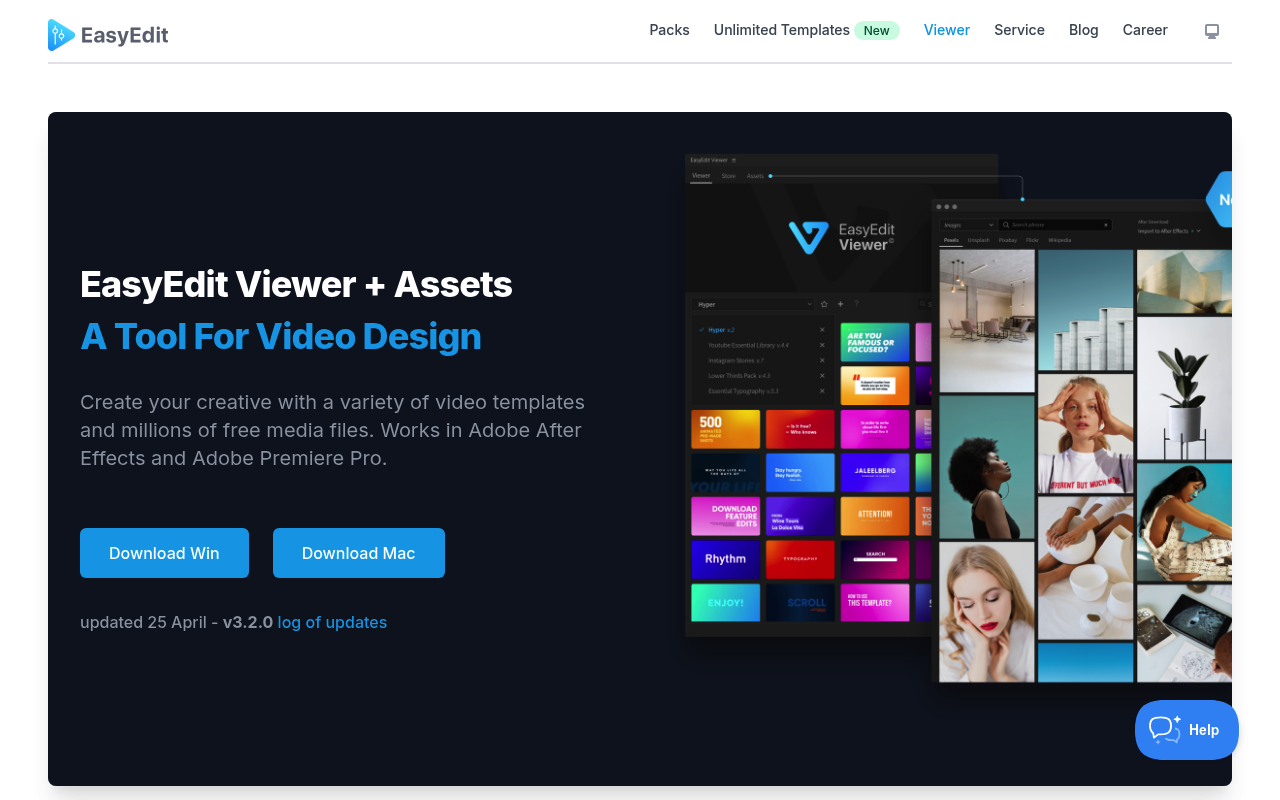
Motion Bro and EasyEdit Viewer solve a similar surface-level problem: both put pre-made motion graphics assets inside After Effects and Premiere Pro so you do not have to hunt through folders. But the overlap is narrower than it appears. Motion Bro is primarily a transition and preset delivery system built around a marketplace of themed packs, with a free plugin that serves as the browser and applicator. EasyEdit Viewer is a template panel that pulls from a library of 10,000+ compositions spanning openers, titles, lower thirds, YouTube channel art, and more, plus a separate gateway to 83 million free stock media files.
If you are a video editor who needs fast, consistent transitions and sound-synced effects for social content or client work, keep reading the Motion Bro side of this comparison. If you need a broader set of ready-made compositions to drop into projects across different content categories, EasyEdit Viewer is more relevant. Both tools have genuinely free entry points, but the business models and content depth differ in ways that matter before you spend any money.
Features Side by Side
| Feature | Motion Bro | EasyEdit Viewer |
|---|---|---|
| Free plugin | Yes | Yes |
| Free content included | 1,400-item starter pack | 100+ free templates across 9 packs |
| Primary content type | Transitions, presets, lower thirds | Templates, openers, titles, end cards, transitions |
| Stock media access | No | 83M+ free GIFs, images, video clips |
| Sound effects | Yes, 1,300 SFX in separate pack | Bundled with select packs only |
| Premiere Pro support | Yes, native MOGRT-based | Yes, MOGRT and project import |
| Pricing model | One-time purchase per pack | One-time purchase per pack; subscription option at stock.easyedit.pro |
| Master Scene / global control | Yes (After Effects) | No equivalent documented |
| Third-party pack creation | Yes, open and commission-free | Not documented |
The most significant functional difference is content scope. Motion Bro’s library is deep in one category: transitions and motion presets. The Essential Bundle packs 5,330 transitions across 23 packages, organized by style (glitch, light, stretch, overlap, and others). EasyEdit Viewer casts a wider net across content types but goes less deep in any single category. If you need 700 glitch transitions at varying intensities, Motion Bro has that. If you need an animated intro, a subscribe button, a lower third, and a callout all for the same YouTube video, EasyEdit Viewer covers more ground in one install.
Motion Bro’s Master Scene feature is a real workflow advantage in After Effects. You link multiple applied presets to a single control composition and change colors or timing globally instead of editing each instance. EasyEdit Viewer has no documented equivalent. For editors applying the same preset family across a long project, this distinction matters.
The stock media integration in EasyEdit Viewer is a genuine extra that Motion Bro does not offer. Searching and importing a free stock clip or GIF without leaving After Effects saves context-switching time on social media projects. It is not a reason to choose one tool over the other on its own, but it adds measurable convenience for the right workflow.
Pricing
Both plugins are free to install. The paid content models are similar in structure but differ in scale.
Motion Bro sells packs as one-time purchases with separate personal and commercial license tiers. The Essential Transitions Bundle for After Effects costs $55 personal or $110 commercial, covering 23 packages and 5,330 transitions. The Premiere Pro version is $68 personal or $136 commercial. The 1500 Light Transitions Bundle starts at $48. Individual packs typically run $40 to $60. The Ultimate Bundle covering all content is $160. The Sound FX Pack (1,300 effects) is pay-what-you-want, with a $0 personal minimum and $19 commercial minimum. No subscription option exists. One purchase code works on up to two devices.
EasyEdit Viewer sells individual packs at one-time prices ranging from approximately $19 for smaller utility packs up to $89 for bundles. Representative prices: YouTube Essential Library at $39, Titles Pro at $34, Hyper Graphics Pack at $49, YouTube Bundle at $69 to $89. Some packs offer a free trial option. EasyEdit also operates a separate subscription service at stock.easyedit.pro with unlimited downloads for a recurring fee; pricing for that service should be verified directly on their site, as it was not confirmed in the available data.
For commercial work, Motion Bro’s explicit personal and commercial licensing split means you know exactly what you are buying. EasyEdit’s licensing structure per pack should be checked on individual product pages before client use.
Performance and Workflow
Motion Bro’s workflow is built around preset application speed. You select a clip or layer, choose a transition from the panel, click Apply, and it drops into the timeline. Transitions automatically adapt to your comp dimensions, including vertical formats. In After Effects, the EDIT tab in version 5 lets you adjust any layer’s parameters without leaving the plugin panel. In Premiere Pro, the Copy and Paste Mode lets you transfer settings between MOGRT clips, which solves a real native limitation. Projects remain portable because all presets use standard AE and Pr effects under the hood, so collaborators without the plugin can still open the project.
One documented issue worth noting: some users have reported color grading problems in Premiere Pro when applying Motion Bro transitions over LOG or flat color profiles. The company has a help guide for this, but it has not resolved the issue for all users. Premiere Pro freezes were also reported in version 5.1.0, though subsequent updates have addressed bugs in that release.
EasyEdit Viewer works by importing full compositions into your project with one click. This is useful for complete template units like a title sequence or an end card, but the workflow differs from Motion Bro’s transition-drop approach. You are importing a pre-built composition to customize, not applying an effect to existing footage. Installation reliability has been a documented friction point, with some users reporting that pack files fail to register in newer After Effects versions. The Assets tool for stock media works smoothly for basic import tasks but is a supplementary feature rather than a core editing workflow.
Who Should Pick Which?
Choose Motion Bro if:
- You produce high volumes of social or client videos and need a consistent library of transitions organized by style
- You work in both After Effects and Premiere Pro and want packs that behave identically in both apps
- You want explicit personal and commercial licensing with one-time pricing and no subscription
- You need synchronized sound effects tied to visual transitions for fast audio-visual editing
Choose EasyEdit Viewer if:
- You create YouTube content and need a single source for openers, end cards, subscribe animations, and lower thirds
- You want access to stock video, images, and GIFs inside After Effects without switching to a browser
- You work across multiple content categories and value breadth of template types over depth in any one category
- You want to evaluate a subscription model for unlimited asset access alongside one-time pack purchases
Verdict
For editors whose primary need is transitions and motion presets applied quickly to footage, Motion Bro is the more focused and better-documented option. The library depth in its core category, the explicit commercial licensing tiers, the zero-subscription pricing, and workflow features like Master Scene and the Premiere Pro Copy and Paste Mode give it a clearer value proposition for professional use. EasyEdit Viewer wins on breadth: if your workflow spans YouTube channel branding, social graphics, and stock media sourcing, its template variety and built-in media access cover more ground. The choice comes down to whether you need more transitions done well or more template types done adequately.